Choosing the right Floor Standing Digital Signage display is more complicated than comparing screen size and price. A bright panel may attract attention, yet poor viewing angles can frustrate customers standing nearby. A sleek enclosure may fit a hotel lobby, while its exposed cables could undermine the entire installation.
Florian Rotberg, a respected digital-signage analyst and managing director at invidis consulting, has said, “Digital signage is not about the screen; it is about the experience around the screen.” That idea shapes this guide to the 10 Best Floor Standing Digital Signage Displays for 2026. Each model deserves attention for more than its visual impact. Brightness, touch accuracy, operating-system stability, remote content management, energy use, and physical durability also matter.
Look closely.
A retail entrance needs different hardware from a hospital corridor. A touchscreen kiosk may invite interaction, but it can also create queues during busy periods. A large 4K display can deliver sharp product videos, although excessive brightness may feel uncomfortable indoors. These details are easy to overlook.
This list aims to balance real-world performance with practical installation concerns. It considers portrait and landscape flexibility, built-in media players, connectivity, warranty support, and accessibility. No display is perfect. Some specifications appear impressive but mean little without reliable software and responsive service.
That is the uncomfortable part.
Technology changes quickly, and a model praised today may feel limited next year. Buyers should still test viewing distance, content workflows, and maintenance access before committing. The strongest Floor Standing Digital Signage solution is not always the most expensive one. It is the display that communicates clearly, operates consistently, and fits the space without becoming an obstacle.
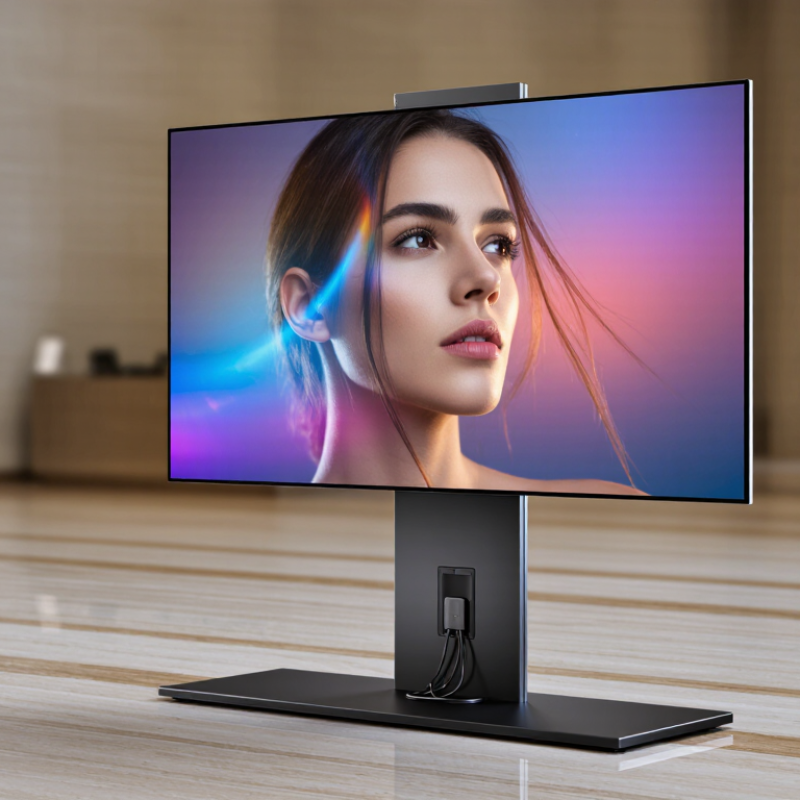
Floor-standing digital signage displays are freestanding screens designed for public indoor spaces. They combine a display panel, enclosure, media player, and power system in one vertical unit. Unlike wall-mounted signage, they can stand near entrances, queues, elevators, or product zones. Their height places messages close to eye level, while their mobility supports changing layouts.
Their role is practical, not decorative. A bright 4K screen can direct visitors, explain services, show schedules, or support self-service interactions. Touch capability adds another layer, but it also requires careful maintenance. Fingerprints, glare, and poor interface design can quickly reduce usability. Grand View Research valued the global digital signage market at about US$27 billion in 2023 and forecasts strong growth through 2030. MarketsandMarkets also projects continued expansion, driven by interactive displays and real-time content management.
Good floor-standing signage needs more than resolution. A stable base prevents accidental movement, and concealed cables create a cleaner public area. Content should use large type, clear contrast, and short messages. In my experience, viewers often decide within seconds whether to stop. That assumption is imperfect. Some audiences need more time, larger controls, or accessible alternatives. Professional deployment should therefore test viewing height, walking distance, brightness, and screen response before installation. Data matters. Human behavior matters more.
Definition: A floor-standing digital signage display is a freestanding screen designed to present dynamic visual content without requiring wall or ceiling installation.
Role: These displays are used for wayfinding, product information, promotions, public announcements, queue management, and interactive customer engagement in high-traffic locations.
| Rank | Display Profile | Typical Screen Size | Resolution | Brightness | Orientation | Operating Time | Best Role | Key Selection Criteria |
|---|---|---|---|---|---|---|---|---|
| 1 | Premium Indoor Portrait Display | 55 in | 4K UHD, 3840 × 2160 | 500–700 cd/m² | Portrait | 16–24 hours/day | Retail promotions and brand storytelling | High contrast, narrow viewing angles, secure enclosure, remote content control |
| 2 | Interactive Wayfinding Kiosk | 43–55 in | 4K UHD, 3840 × 2160 | 400–500 cd/m² | Portrait or landscape | 16–24 hours/day | Maps, directories, and visitor navigation | 10-point capacitive touch, accessible interface height, network connectivity |
| 3 | High-Traffic Commercial Totem | 55–65 in | 4K UHD, 3840 × 2160 | 500–700 cd/m² | Portrait | 24/7 rated | Shopping centers, airports, and transit areas | Commercial-grade panel, ventilation, impact-resistant cover, scheduled playback |
| 4 | Double-Sided Information Stand | 43–55 in per side | Full HD or 4K UHD | 400–700 cd/m² | Dual portrait | 16–24 hours/day | Two-way advertising and public information | Front-and-back visibility, synchronized playback, stable weighted base |
| 5 | Queue Management Display | 32–43 in | Full HD, 1920 × 1080 | 350–500 cd/m² | Portrait | 16–24 hours/day | Ticketing, service queues, and appointment calls | Readable numerals, low-latency updates, speaker support, API integration |
| 6 | Outdoor-Ready Enclosed Display | 43–55 in | Full HD or 4K UHD | 1,500–3,000 cd/m² | Portrait or landscape | 16–24 hours/day | Outdoor entrances, campuses, and transport hubs | High brightness, weather protection, thermal management, anti-glare glass |
| 7 | Compact Reception Display | 32–43 in | Full HD or 4K UHD | 300–450 cd/m² | Portrait | 12–16 hours/day | Reception notices and corporate communications | Small footprint, quiet operation, simple media scheduling, cable concealment |
| 8 | Menu and Product Showcase Stand | 43–55 in | 4K UHD, 3840 × 2160 | 400–600 cd/m² | Portrait or landscape | 16–24 hours/day | Restaurants, showrooms, and product launches | Color accuracy, fast content updates, media playback, wipe-clean surface |
| 9 | Portable Event Display | 43–55 in | Full HD or 4K UHD | 350–500 cd/m² | Portrait or landscape | Up to 12 hours/day | Exhibitions, conferences, and temporary campaigns | Wheels, quick assembly, lightweight housing, local USB playback |
| 10 | Budget Promotional Totem | 43–55 in | Full HD, 1920 × 1080 | 300–400 cd/m² | Portrait | 8–16 hours/day | Short-term promotions and small businesses | Low acquisition cost, basic media player, secure stand, scheduled power control |
Note: Specifications are representative industry ranges for 2026 display applications. Actual performance depends on the selected panel, enclosure, operating environment, content-management system, and installation conditions.
It is a freestanding indoor screen with a display panel, enclosure, media player, and power system. It stands near entrances, queues, elevators, or product areas. Close to eye level.
Retail stores can show offers, product details, searches, and stock information. Hotels can display check-in guidance, event schedules, and transport updates. Public facilities can provide wayfinding and multilingual service information.
Test brightness at the real installation site. Screens near windows may need stronger brightness than shaded lobbies. Check glare, contrast, and readability from several positions. Showroom results can mislead.
Measure floor area and walking paths carefully. A large unit may obstruct a narrow walkway. Keep viewing height comfortable for standing visitors and wheelchair users. Leave ventilation space around the housing. Placement can feel intrusive.
Full HD can handle simple announcements and short messages. Sharper resolution helps maps, menus, and detailed product visuals. Resolution cannot fix poor contrast, tiny text, or confusing layouts. That is easy to forget.
Touch capability can support searches, stock checks, recommendations, and self-service interactions. It also creates fingerprints, cleaning duties, and interface problems. Test response speed and control size before installation. Touch is not automatically better.
Choose strong housing, a stable base, protected cables, and reliable cooling. Confirm remote monitoring, scheduled restarts, network options, and security updates. Ask about warranty terms and local technical support. Routine access matters too. I once underestimated it.
Use large type, clear contrast, captions, and short messages. Keep emergency information visually separate from promotional content. Review content weekly and update schedules responsibly. Unstable networks can create blank or outdated screens. Audio may disturb nearby visitors.
Floor Standing Digital Signage displays are freestanding digital communication tools designed to deliver dynamic content in high-traffic environments. This article explains their role in attracting attention, guiding visitors, promoting products, and sharing real-time information across retail stores, hotels, transportation hubs, healthcare facilities, and public spaces. It also outlines the key factors to evaluate before choosing a display, including screen size, brightness, resolution, touch functionality, connectivity, durability, energy efficiency, content management, and ease of use.
A comparison of the 10 best floor-standing displays for 2026 highlights how different models meet specific operational needs, from compact indoor installations to highly visible interactive solutions. The article also covers practical installation and maintenance requirements, such as positioning, power access, software updates, cleaning, security, and routine inspections. Finally, it considers future technology trends, including smarter content delivery, improved interactivity, stronger remote management, and more sustainable display design.

 Best Display