What Is the Best Digital Signage for Global Buyers?

Time:2026-09-17 Author:Sienna
0%

What Is the Best Digital Signage for Global Buyers? The answer depends on location, audience, operating conditions, and business goals. Digital Signage is no longer limited to airport advertising or retail promotions. It now supports wayfinding, public information, hospitality services, education, and corporate communication. The phrase “best” is already imperfect. A bright outdoor display may fail inside a quiet hotel lobby.

Industry data confirms the market’s rapid expansion. MarketsandMarkets estimated the global digital signage market at USD 27.1 billion in 2023. Its report projects growth to USD 43.4 billion by 2028, with a 9.9% compound annual growth rate. Grand View Research also identifies rising demand for interactive displays, cloud platforms, and connected content management. These figures show opportunity, but they do not select the right supplier for every buyer. Market forecasts can simplify complex purchasing decisions.

A reliable global evaluation should examine screen brightness, resolution, energy use, software compatibility, remote monitoring, warranty coverage, and local service capacity. Outdoor buyers need weather resistance and readable contrast under direct sunlight. Retail teams may value fast content updates more than maximum screen size. A hospital requires clear navigation, stable uptime, and careful information governance. According to AVIXA’s 2024 Industry Outlook and Trends Analysis, professional audiovisual demand remains linked to investment in communication spaces and experience-driven environments. Still, equipment alone cannot guarantee results. Poor placement, weak content, or difficult software can waste a strong installation. This guide compares practical solutions through evidence, field experience, and total ownership cost, while recognizing that every global buyer faces different constraints.
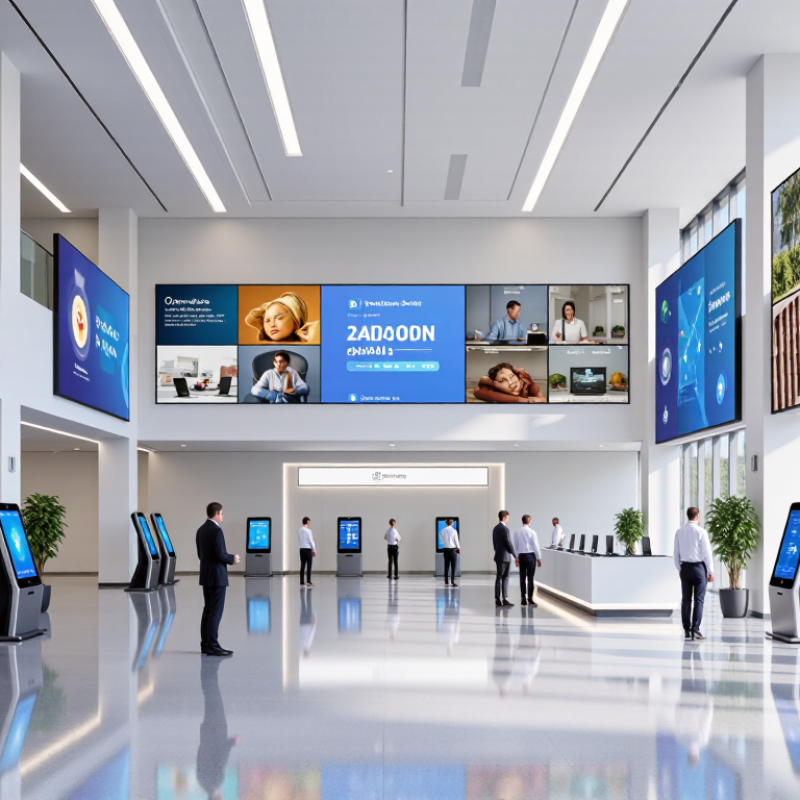
What Is the Best Digital Signage for Global Buyers?

Understanding Digital Signage and Its Global Applications

What Is the Best Digital Signage for Global Buyers?

Digital signage is a screen-based communication system for displaying changing information, images, video, or live data. It usually combines commercial displays, media players, content software, network access, and scheduled updates. The best system is not simply the brightest screen. It must match the viewing distance, lighting, audience, and operating conditions.

Global applications vary widely. A retail display may show prices and promotions, while a transport screen communicates platform changes within seconds. Hospitals often need calm colors, readable fonts, and multilingual directions. Schools may use displays for announcements, emergency messages, and daily schedules. Outdoor installations require weather protection, strong brightness, thermal control, and secure mounting. Indoor systems need less power, but glare and poor viewing angles can still reduce readability.

Reliable deployment starts with local research. Content should support regional languages, time zones, date formats, and accessibility needs. Network failures also deserve attention. A screen that cannot update during an outage may display outdated information. Offline playback can reduce this risk. It helps, but it is not flawless.

Test the system in real conditions. Check readability at noon, after sunset, and from the side. Measure how quickly staff can publish a correction. Some projects focus heavily on hardware and neglect content management. That mistake becomes expensive across many locations. Local teams should receive clear training, maintenance guidance, and permission controls. Global consistency matters, yet every market may need practical adjustments.

Evaluating Display Types, Features, and Content Management Systems

Choosing digital signage for global markets requires more than comparing screen size and price. Display conditions vary widely. A bright LCD suits airports, shops, and indoor transit areas. Direct-view LED works better for large installations or distant viewing. E-paper can reduce energy use for static messages, but it usually cannot support vivid video. Projection may fit controlled environments, though ambient light can weaken the image.

Features should match the physical site. Look for high brightness, wide viewing angles, reliable cooling, and automatic power schedules. Touch capability helps in museums and service areas, while non-touch displays often reduce maintenance. Check language support, time-zone settings, accessibility options, and local power requirements. In real deployments, small details matter. A screen that looks excellent in a showroom may appear dull beside a sunlit window.

The content management system controls daily performance. A dependable CMS should offer role-based permissions, media approval, playlist scheduling, remote monitoring, and offline playback. It should also record playback evidence for operational checks. Strong encryption and regular software updates protect connected displays. Open integration options can connect signage with inventory, transport, or event data. However, complex systems can overwhelm smaller teams. I have seen carefully planned networks delayed by unclear workflows. A short pilot can expose those weaknesses before a global rollout. Not every location needs the same setup. Local teams should test translations, emergency messages, and screen readability in real conditions. That step is easy to underestimate.

Comparing Connectivity, Compatibility, and International Deployment Needs

What Is the Best Digital Signage for Global Buyers?

Comparing Connectivity, Compatibility, and International Deployment Needs

Global digital signage requires more than a bright screen and simple content playback. Buyers should examine wired and wireless connectivity, remote management, and offline operation before approving a large order. A stable Ethernet port matters in fixed installations. Secure wireless access helps in locations where cabling is difficult. Cellular support can protect essential updates when local networks fail.

Compatibility also shapes long-term value. The display should support common video formats, scheduling tools, content management systems, and modern web standards. Check resolution, aspect ratio, operating system limits, and available ports. A sample unit should run real content for several days. Paper specifications rarely reveal overheating, slow updates, or unexpected playback errors.

International deployment adds practical complications. Power input, plug types, language settings, time zones, and regional network rules must be verified early. Local service coverage is equally important. Clear manuals, replaceable parts, diagnostic logs, and responsive technical support reduce costly site visits. I have seen projects delayed because a connector was overlooked. That mistake was avoidable. No checklist is perfect, either. Teams should record test results, confirm local installation conditions, and leave room for regional differences. A capable solution is not merely compatible in theory. It must remain manageable across countries, climates, networks, and working schedules.

Assessing Total Cost, Reliability, Support, and Regulatory Compliance

What Is the Best Digital Signage for Global Buyers?

Global buyers need more than a bright screen and a low invoice. The real test is total cost, reliability, support, and regulatory compliance. Purchase price can hide mounting hardware, software fees, shipping, installation, energy use, and replacement costs. A five-year cost model often reveals a cheaper path. It should also include local taxes, spare units, and technician travel.

Reliability depends on the environment. A screen near a sunny window needs strong brightness and thermal control. A busy transport site needs durable parts and stable remote monitoring. Request failure-rate data, warranty terms, and replacement procedures before ordering. Small pilot installations can expose heat, network, or content-management problems early. Do not trust impressive laboratory figures alone.

Support must work across time zones and languages. Clear escalation rules matter when a display fails during business hours. Compliance requires careful checking of electrical safety, electromagnetic compatibility, accessibility, data protection, and local recycling obligations. Requirements may differ between regions and even between buildings. Written declarations and test records are more useful than vague assurances. No scoring model is perfect. I have seen buyers underestimate installation delays, especially when local contractors lack compatible tools. That weakness deserves a realistic contingency budget.

Selecting the Best Digital Signage Solution for Different Buyer Goals

What Is the Best Digital Signage for Global Buyers?

Selecting the Best Digital Signage Solution for Different Buyer Goals

Start with the goal. A retail operator may need bright screens, quick content changes, and reliable playback during peak hours. A corporate office may value meeting-room schedules, multilingual notices, and simple remote management. Transport teams often prioritize visibility, uptime, and clear emergency communication. The “best” solution changes with the environment.

In real deployments, I would test the complete workflow before approving equipment. Check screen readability under direct sunlight. Measure content update time from the central dashboard. Confirm that local staff can create schedules without technical help. A strong platform should support user permissions, encrypted connections, accessibility features, and regional data requirements. It should also offer dependable service documentation and responsive technical support.

Budget goals need wider thinking. Calculate installation, network use, maintenance, energy consumption, and replacement costs over several years. A low purchase price can become expensive when hardware fails frequently. Yet premium specifications may add little value in a quiet indoor corridor. No solution is perfect. A spreadsheet can expose hidden costs, but it cannot predict every local challenge. Test with real users, real lighting, and realistic network conditions. Leave room for honest feedback, because the first design may look efficient while confusing the people who use it.

What Is the Best Digital Signage for Global Buyers? - Selecting the Best Digital Signage Solution for Different Buyer Goals

Buyer Goal Recommended Solution Type Typical Display Specification Content and CMS Requirements Connectivity and Deployment Key Evaluation Criteria
Cost-efficient indoor communication Commercial indoor flat-panel signage 32–55 inch display; Full HD or 4K; approximately 350–700 nits; landscape or portrait orientation Centralized scheduling, image and video playback, templates, user permissions, and remote content updates Ethernet or Wi-Fi; cloud-managed or locally managed media player; suitable for a small or medium number of screens Total cost of ownership, ease of installation, software licensing, warranty, and local service availability
High-impact retail or showroom presentation High-resolution commercial display or video wall 55–86 inch displays or tiled video wall; 4K resolution; approximately 500–1,000 nits; narrow bezel preferred for video walls High-resolution video, synchronized playback, portrait and landscape layouts, campaign scheduling, and content approval workflows Wired network recommended for synchronized content; remote monitoring; professional mounting and calibration Color consistency, bezel width, viewing distance, heat management, screen uniformity, and content synchronization
Outdoor visibility in bright daylight Outdoor-rated high-brightness signage Typically 2,500–5,000+ nits; weather-protected enclosure; automatic brightness control; anti-glare surface Simple, high-contrast layouts; scheduled brightness profiles; remote health alerts; offline playback for network interruptions Wired or cellular connectivity; professional installation; protection against moisture, dust, temperature changes, and vandalism Brightness, IP protection rating, operating temperature, thermal control, sunlight readability, and maintenance access
Interactive wayfinding or self-service Commercial interactive kiosk or touch display 21.5–55 inch touch display; Full HD or 4K; projected capacitive or infrared touch; portrait orientation often preferred Touch-friendly interface, multilingual support, accessibility options, map or catalog integration, and session timeout controls Ethernet, Wi-Fi, or cellular; secure enclosure; optional printer, scanner, payment, or sensor integration Touch accuracy, cleaning resistance, cybersecurity, accessibility, physical durability, and integration compatibility
Large-scale multi-country management Cloud-based enterprise digital signage platform Display specifications selected by site; 4K recommended for detailed content; commercial-grade panels for extended operating hours Multi-level permissions, multilingual content, location-based playlists, centralized scheduling, audit logs, and remote monitoring Secure cloud connection; Ethernet, Wi-Fi, or cellular fallback; device grouping by country, region, and location Data security, regional hosting requirements, API support, offline playback, scalability, service-level commitments, and localization
Premium information displays with minimal maintenance Commercial-grade display with remote device management 43–75 inch display; 4K resolution; approximately 500–1,000 nits; extended-duty operation; built-in monitoring support Automated playlists, content expiry dates, device status dashboards, error notifications, and scheduled maintenance messages Reliable wired network preferred; remote restart and diagnostics; centralized firmware and application management Commercial duty cycle, cooling design, remote diagnostics, replacement process, energy use, and long-term parts availability
Temporary events, exhibitions, or pop-up locations Portable display and media-player package 32–75 inch display; Full HD or 4K; lightweight mounting; brightness selected according to indoor or outdoor lighting Preloaded playlists, USB or local playback, simple scheduling, and rapid content replacement Wi-Fi or offline playback; compact media player; quick-install mounting and standard power connections Transportability, setup time, physical security, local content control, power requirements, and rental or redeployment flexibility
Selection note: Brightness values are typical planning ranges rather than universal specifications. Final selection should consider ambient light, viewing distance, operating hours, climate, content resolution, network reliability, local regulations, and total cost of ownership.

FAQS

What is digital signage?

Digital signage uses screens to show changing information, images, videos, or live data. It usually includes a display, media player, content software, network access, and scheduled updates. The brightest screen is not always the best choice.

Which display type suits different locations?

Bright LCD screens suit shops, airports, and indoor transit areas. Direct-view LED works well for large spaces and distant viewers. E-paper saves energy for mostly static messages. Projection needs controlled lighting.

What features matter for outdoor digital signage?

Outdoor systems need strong brightness, weather protection, thermal control, and secure mounting. Automatic power schedules can reduce unnecessary operation. Check performance at noon. Poor cooling may shorten equipment life.

How should buyers choose screen brightness and viewing angles?

Test readability at noon, after sunset, and from the side. A screen near a sunny window may look dull despite good showroom performance. Wide viewing angles help people read content while walking past. Real conditions matter.

What should a content management system provide?

A useful system should support role-based permissions, media approval, playlists, and scheduled updates. Remote monitoring can reveal failed screens quickly. Offline playback helps during network outages, but it is not flawless. Clear workflows prevent confusion.

How can global teams manage different languages and regions?

Content should support local languages, date formats, time zones, and accessibility needs. Local teams should test translations and emergency messages on actual screens. A direct translation may still feel unclear. Review it locally.

What connectivity options should international buyers compare?

Fixed installations often benefit from stable Ethernet connections. Secure wireless access helps where cabling is difficult. Cellular support can protect essential updates when local networks fail. Use offline playback as backup.

How can buyers test compatibility before a large deployment?

Run real content on a sample unit for several days. Check video formats, resolution, aspect ratio, operating system limits, and available ports. Watch for overheating, slow updates, and playback errors. Paper specifications miss things.

What practical issues can delay international installation?

Verify power input, plug types, language settings, time zones, and regional network requirements early. Check local service coverage, replacement parts, manuals, and diagnostic logs. One overlooked connector can delay an entire site. No checklist is perfect.

How should staff prepare for daily operation and maintenance?

Staff need clear training, maintenance guidance, and permission controls. They should know how to publish corrections and respond to failed updates. Measure correction speed during the pilot. Small gaps become expensive.

Conclusion

Choosing the best Digital Signage solution for global buyers requires more than comparing screen sizes or prices. It begins with understanding how digital displays support different environments, including retail, transportation, hospitality, education, corporate spaces, and public information. Buyers should evaluate display types, brightness, resolution, durability, interactive features, remote management, and the capabilities of the content management system. Connectivity, device compatibility, language support, power standards, and network requirements are also essential when deploying solutions across multiple countries.

A complete assessment should consider total cost of ownership, installation, maintenance, energy use, reliability, technical support, and software updates. Regulatory compliance, accessibility, data protection, and regional operating requirements should be reviewed before purchase. The ideal solution depends on each buyer’s goals: cost efficiency, premium visual performance, easy content control, scalability, or long-term reliability. By balancing these factors, organizations can select a flexible Digital Signage system that performs consistently across diverse markets and business environments.


Sienna

Sienna

Sienna is a skilled marketing professional with a deep expertise in our company’s core products and services. With a passion for innovation and detail, she plays a pivotal role in crafting insightful blog posts that not only highlight the unique features of our offerings but also provide valuable......